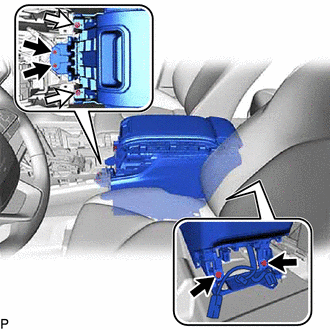
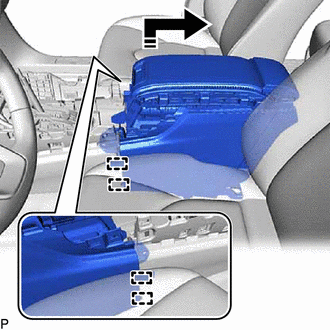
Removal [10/2022 - ]: Procedure
- REMOVE NO. 2 CONSOLE BOX CUSHION
- REMOVE CONSOLE BOX CUSHION
- REMOVE FRONT CONSOLE BOX COVER
- REMOVE SHIFT LEVER KNOB SUB-ASSEMBLY
for UA81E / UA81F: Refer to PROCEDURE - Step 1
for P810: Refer to PROCEDURE - Step 1
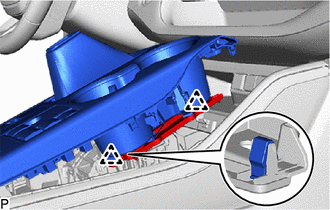
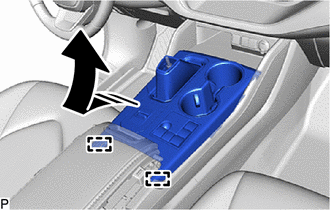
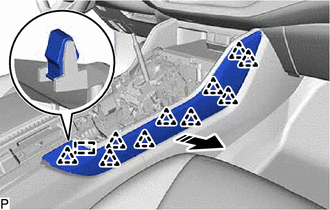
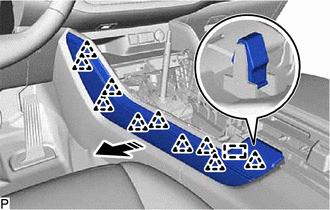
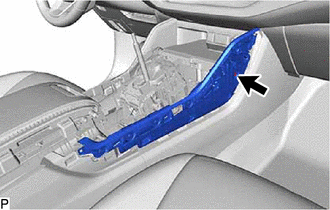
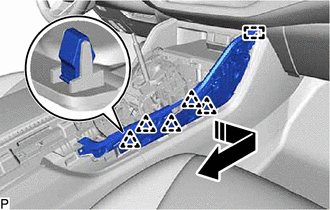
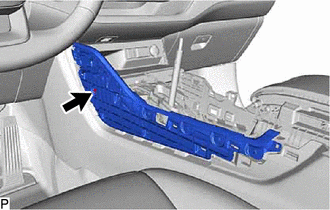
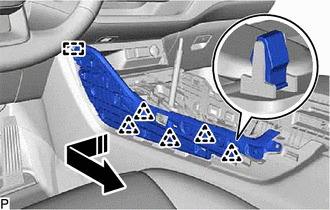
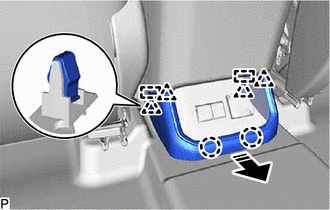
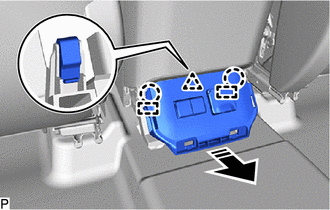
- REMOVE CONSOLE PANEL SUB-ASSEMBLY
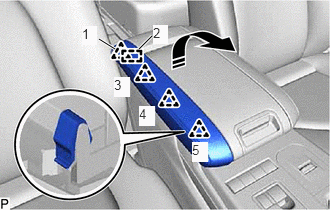
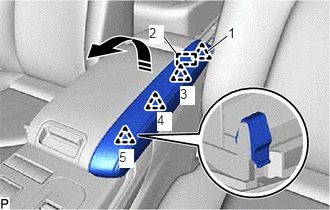
- Using a moulding remover, disengage the 5 clips as shown in the illustration.

Insert Moulding Remover Here 
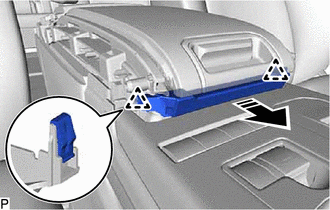
Remove in this Direction - Disengage the 2 clips.
- Disengage the 2 guides as shown in the illustration.
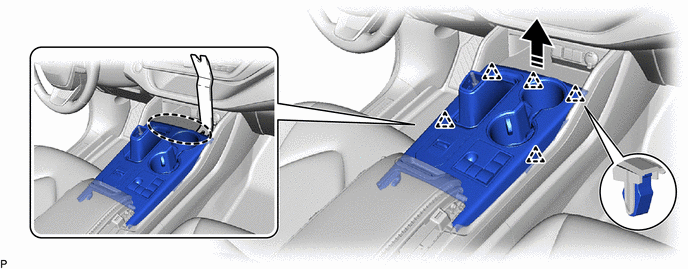
Remove in this Direction - Disconnect each connector to remove the console panel sub-assembly.
- Using a moulding remover, disengage the 5 clips as shown in the illustration.
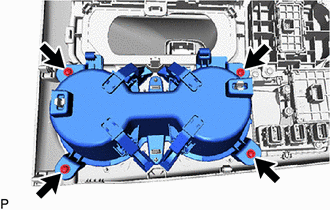
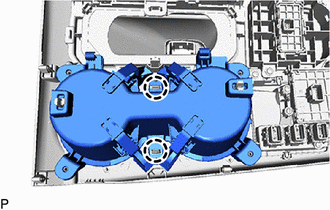
- REMOVE CONSOLE BOX CUP HOLDER
- REMOVE NO. 1 LOWER INSTRUMENT PANEL PAD SUB-ASSEMBLY
- REMOVE NO. 2 LOWER INSTRUMENT PANEL PAD SUB-ASSEMBLY
- REMOVE NO. 1 INSTRUMENT PANEL GARNISH SUB-ASSEMBLY
- REMOVE NO. 2 INSTRUMENT PANEL GARNISH SUB-ASSEMBLY
- REMOVE REAR CONSOLE LOWER BOX
- REMOVE NO. 2 CONSOLE BOX HOLE COVER
- REMOVE CONSOLE BOX ASSEMBLY