Operation Check [12/2019 - 10/2022]
- START DIAGNOSTIC MODE
- Enter diagnostic mode.
w/o Navigation System: Refer to DTC CHECK / CLEAR [12/2019 - 10/2022]
w/ Navigation System for 8 Inch Display: Refer to DTC CHECK / CLEAR [12/2019 - 10/2022]
w/ Navigation System for 12.3 Inch Display: Refer to DTC CHECK / CLEAR [12/2019 - 10/2022]
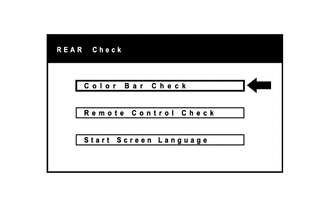
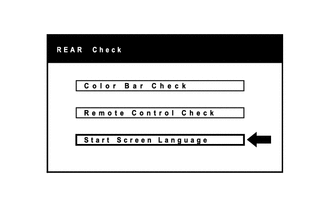
- Diagnostic mode starts and the "REAR Check" screen will be displayed.
- Enter diagnostic mode.
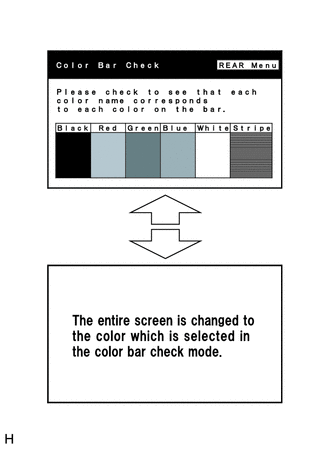
- COLOR BAR CHECK
HINT:
- Use the rear switch and volume assembly for each inspection.
- This mode checks the color display on the television display assembly.
- The television display assembly is not a touch panel type display. Do not touch the screen.
- Illustrations may differ from the actual vehicle depending on the device settings and options. Therefore, some detailed areas may not be exactly the same as on the actual vehicle.
- The television display assembly is not a touch panel type. Do not touch the screen.
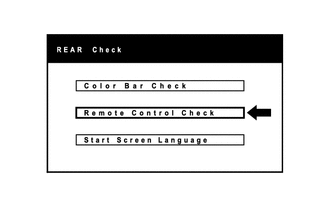
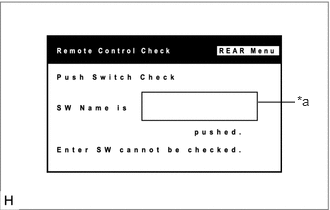
- REMOTE CONTROL CHECK
HINT:
- Use the rear switch and volume assembly for each inspection.
- The rear switch and volume assembly switches are checked in the following procedure.
- The television display assembly is not a touch panel type display. Do not touch the screen.
- Illustrations may differ from the actual vehicle depending on the device settings and options. Therefore, some detailed areas may not be exactly the same as on the actual vehicle.
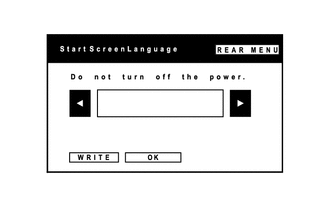
- START SCREEN LANGUAGE
HINT:
- Use the rear switch and volume assembly for each inspection.
- The language for the start screen is selected in this procedure.
- The television display assembly is not a touch panel type display. Do not touch the screen.
- Illustrations may differ from the actual vehicle depending on the device settings and options. Therefore, some detailed areas may not be exactly the same as on the actual vehicle.
- FINISH DIAGNOSTIC MODE
- Turn the ignition switch off.