Installation [12/2019 - 10/2022]: Procedure
- INSTALL BACK-UP BATTERY
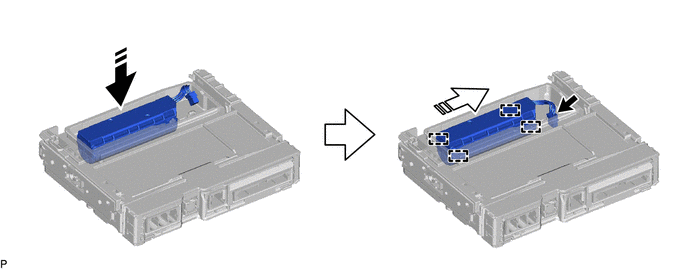
- Move the back-up battery in the direction indicated by the arrow (1) shown in the illustration to temporarily install it.

Install in this Direction (1) 
Install in this Direction (2) - Push the back-up battery in the direction indicated by the arrow (2) shown in the illustration to engage the 4 guides and install the back-up battery.
- Connect the connector.NOTE:
Make sure that the connector is connected securely.
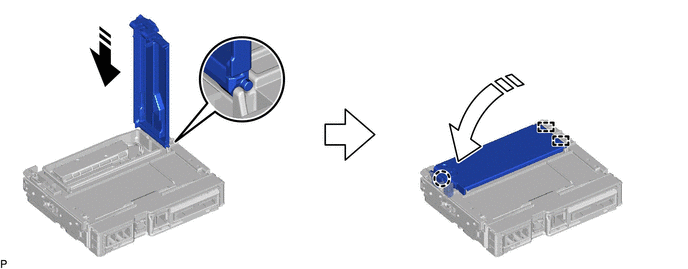
- Engage the 2 guides and claw to install the transceiver cover as shown in the illustration.
Install in this Direction (1) Install in this Direction (2) NOTE:Make sure that the transceiver cover is securely installed.
- Move the back-up battery in the direction indicated by the arrow (1) shown in the illustration to temporarily install it.
- INSTALL DCM (TELEMATICS TRANSCEIVER) WITH BRACKET
Refer to INSTALLATION [12/2019 - ]
- PERFORM INITIALIZATION
Refer to INITIALIZATION [12/2019 - ]