Tire Pressure Sensor Registration
NOTE:
If the tire pressure sensor and/or tire pressure monitor ECU are replaced, the transmitter ID needs to be registered in the tire pressure monitor ECU prior to system initialization. To perform this procedure, the Toyota hand-held tester must be used.
Register Transmitter ID
- Set the tire pressure of all wheels (including spare tire) to pressure specified on the tire and loading information label.
- Connect the hand-held tester to DLC3.
- Turn ignition switch to ON position.
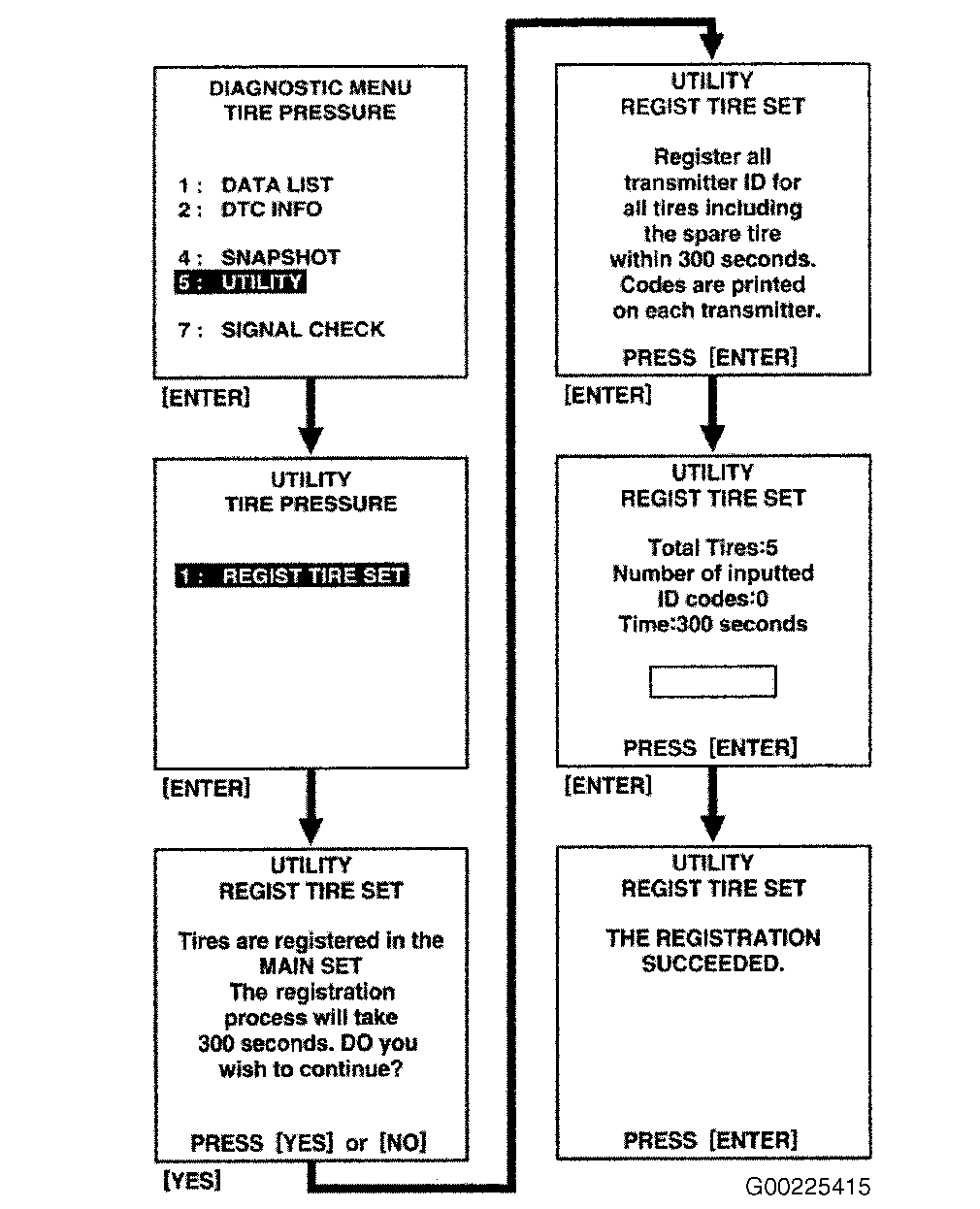
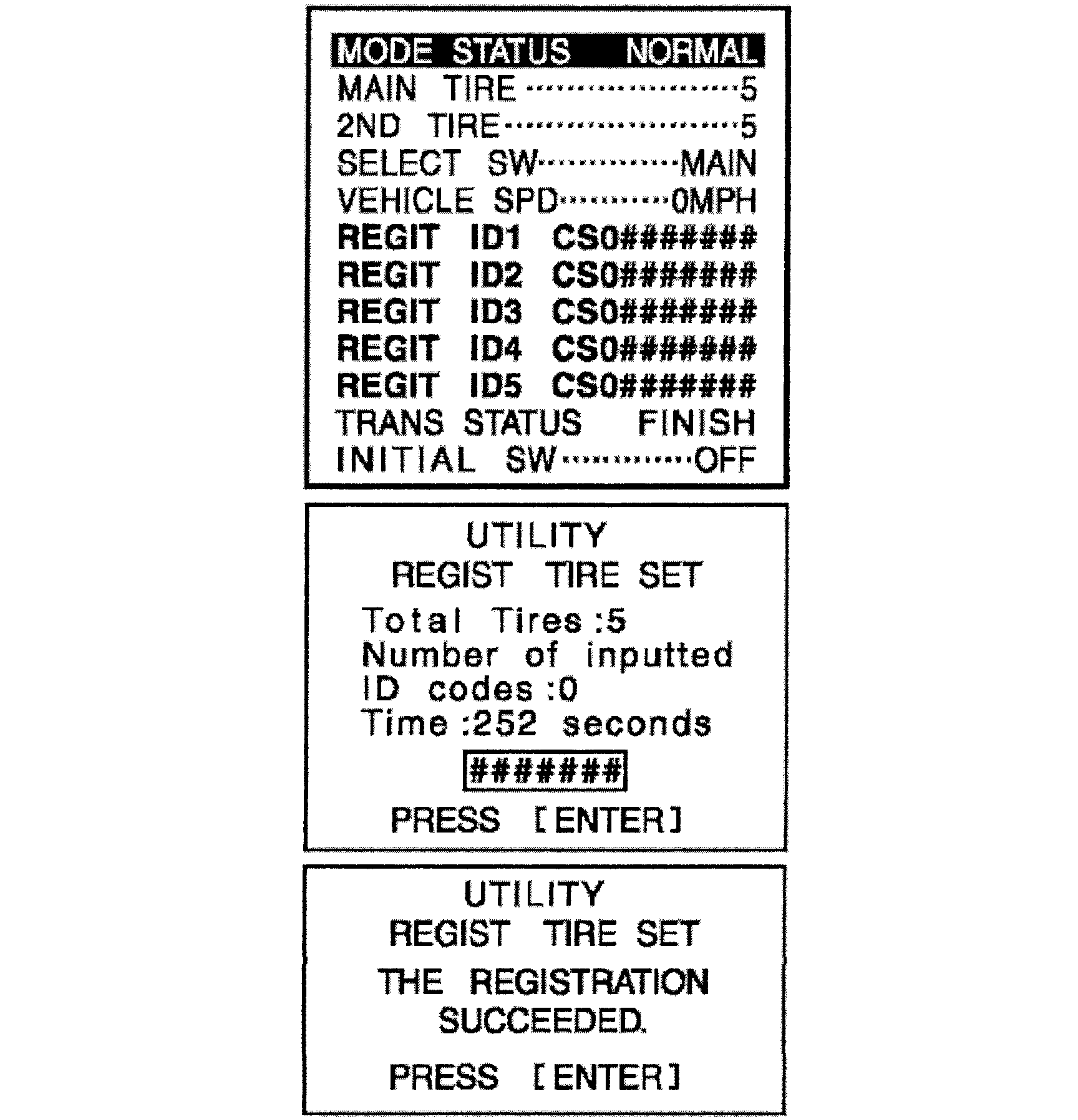
- Select the "REGIST TIRE" mode. See Fig 1 and Fig 2 .
- Input the transmitter IDs (ID1 to ID5) using the hand-held tester and transmit it to the tire pressure monitor ECU.
- Set the ID transmission condition to "SUCCEEDED".
NOTE:
If steps 4- 6
are not completed within 5 minutes, the mode will return to the normal operation mode.
Confirmation Of Transmitter ID Registration
- Set the tire pressure of all wheels (including spare tire) to the specified value.
- Connect the hand-held tester to DLC3.
- Turn ignition switch to ON position.
- Select "DATA LIST" mode on the hand-held tester.
- Confirm the "TIREPRESS" values are displayed on the hand-held tester screen.
 Courtesy of TOYOTA MOTOR SALES, U.S.A., INC.