Tire Pressure Sensor Registration
NOTE:
When a tire pressure sensor and/or tire pressure monitor ECU are replaced, the sensor ID must be memorized by the tire pressure monitor ECU. To perform this procedure, a Toyota Techstream must be used. It is not necessary to register the sensor ID(s) when only tire rotation is performed.
NOTE:
Before beginning registration process on vehicles where tire pressure sensors have not been replaced, retrieve sensor transmitter ID(s) using intelligent tester (under Data List) or by reading the ID on the tire pressure sensor. If sensor is being replaced with a new one, make a note of the transmitter ID before installation, as it cannot be seen after sensor is installed. See Fig 1.
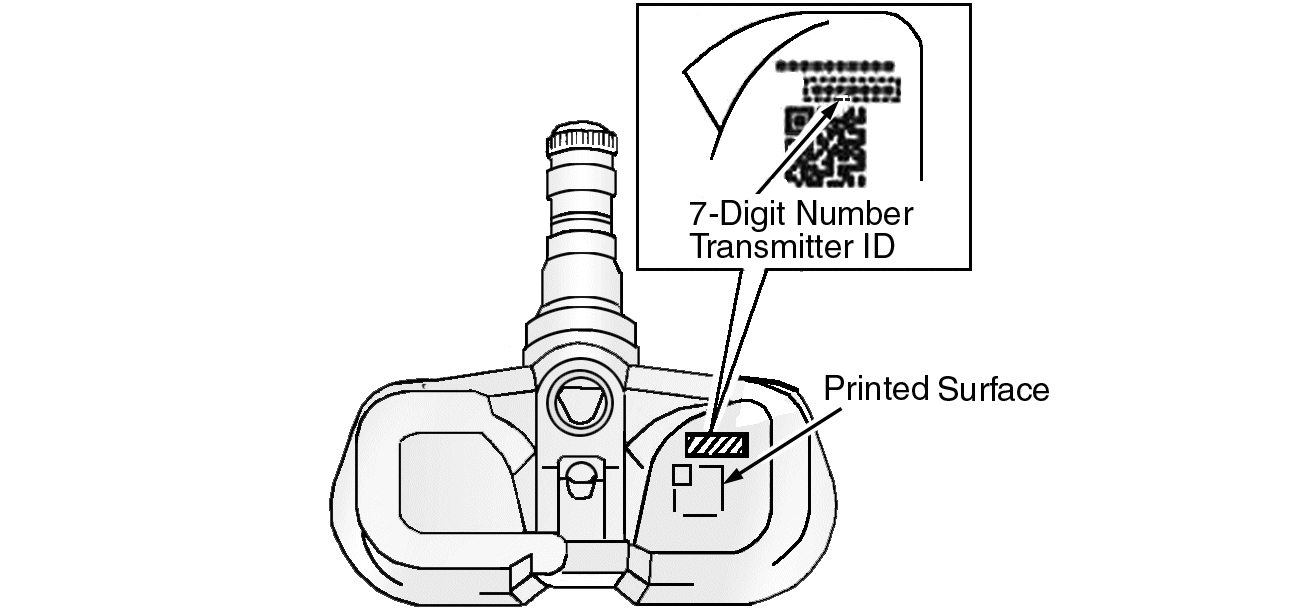 Courtesy of TOYOTA MOTOR SALES, U.S.A., INC.
- Set the tire pressure of all wheels to pressure specified on the tire and loading information label.
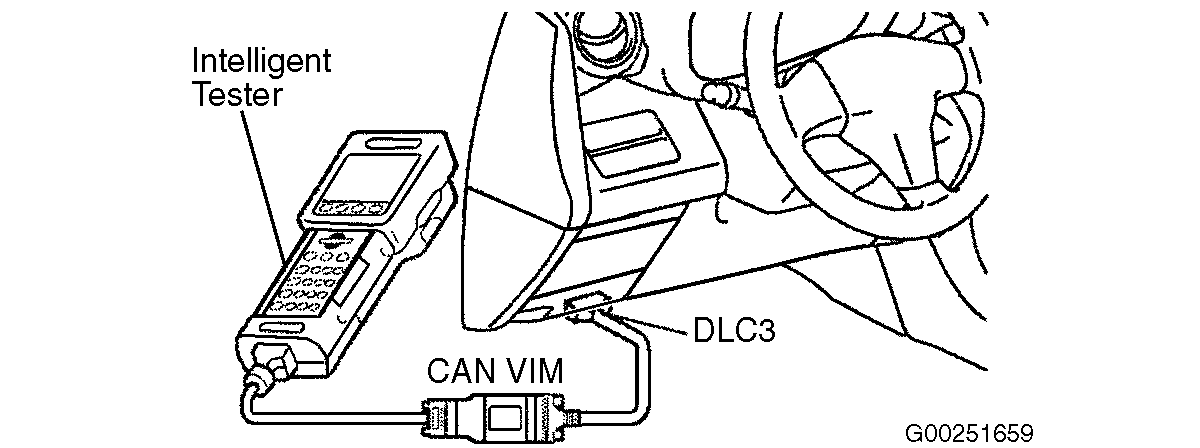
- Connect the Techstream to DLC3. See Figure.
- Turn the Techstream scan tool on and the ignition switch to ON position.
- Enter the following menus: Chassis / Tire Pressure Monitor / Utility / ID Registration (or Regist Tire Set).
- Perform the procedure displayed on the scan tool.NOTE: Tire pressure sensor IDs that were previously registered will be deleted from the memory when registration is completed.
- Confirm the tire pressure sensor's IDs are registered:
- Enter the following menus: Chassis / Tire Pressure Monitor / Data List.
- Confirm the tire pressure values are displayed for all 4 tires.NOTE: It may take up to 2 or 3 minutes to update the tire pressure data. If tire pressure values do not display after 2 or 3 minutes, troubleshoot DTCs C2121/21 to C2124/24 (on some models, up to C2125/25).NOTE: If the ID(s) have not been registered, DTC C2171/71 is set in the tire pressure monitor ECU after 3 minutes or more.