Installation [10/2022 - ]: Procedure
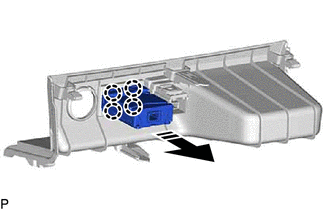
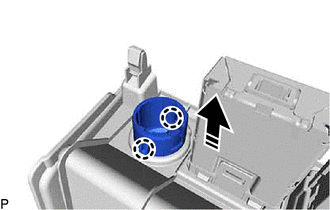
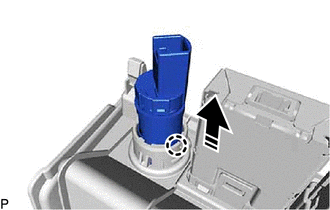
- INSTALL USB CHARGER SOCKET
- INSTALL NO. 1 POWER OUTLET SOCKET COVER
- INSTALL NO. 1 POWER OUTLET SOCKET ASSEMBLY
- INSTALL LOWER CENTER INSTRUMENT PANEL FINISH PANEL
Refer to PROCEDURE - Step 6
- INSTALL NO. 2 INSTRUMENT PANEL GARNISH SUB-ASSEMBLY
Refer to PROCEDURE - Step 4
- INSTALL NO. 1 INSTRUMENT PANEL GARNISH SUB-ASSEMBLY
Refer to PROCEDURE - Step 5
- INSTALL NO. 2 LOWER INSTRUMENT PANEL PAD SUB-ASSEMBLY
Refer to PROCEDURE - Step 6
- INSTALL NO. 1 LOWER INSTRUMENT PANEL PAD SUB-ASSEMBLY
Refer to PROCEDURE - Step 7
- INSTALL CONSOLE PANEL SUB-ASSEMBLY
Refer to PROCEDURE - Step 9
- INSTALL SHIFT LEVER KNOB SUB-ASSEMBLY
for UA81E / UA81F: Refer to PROCEDURE - Step 1
for P810: Refer to PROCEDURE - Step 1
- INSTALL FRONT CONSOLE BOX COVER
Refer to PROCEDURE - Step 11
- INSTALL CONSOLE BOX CUSHION
Refer to PROCEDURE - Step 12
- INSTALL NO. 2 CONSOLE BOX CUSHION
Refer to PROCEDURE - Step 13