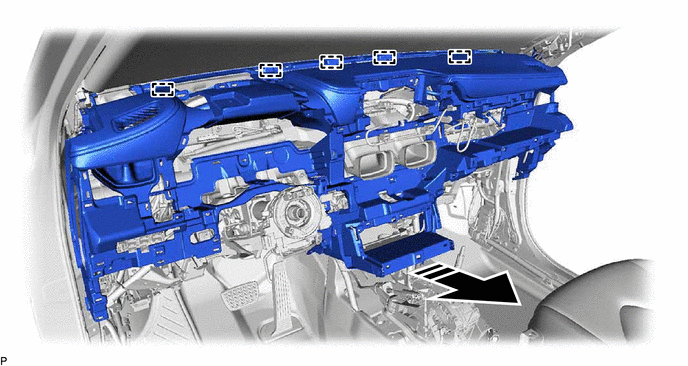
Removal [12/2019 - 10/2022]: Procedure
- REMOVE CONSOLE BOX ASSEMBLY
Refer to REMOVAL [12/2019 - 10/2022]
- REMOVE FRONT DOOR SCUFF PLATE LH
Refer to PROCEDURE - Step 9
- REMOVE COWL SIDE TRIM SUB-ASSEMBLY LH
Refer to PROCEDURE - Step 10
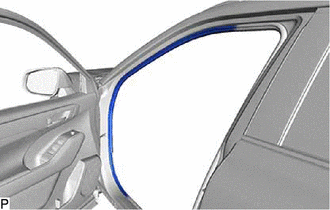
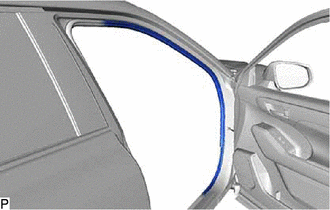
- DISCONNECT FRONT DOOR OPENING TRIM WEATHERSTRIP LH
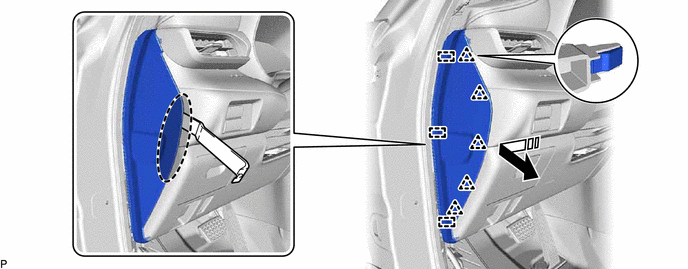
- REMOVE INSTRUMENT PANEL FINISH END PANEL LH
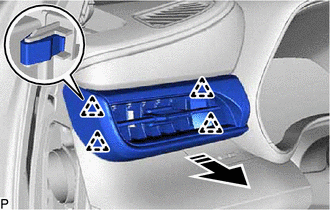
- REMOVE NO. 1 INSTRUMENT PANEL REGISTER ASSEMBLY
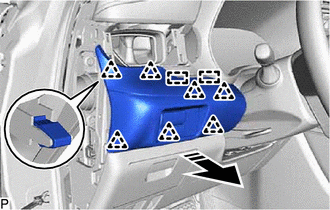
- REMOVE INSTRUMENT PANEL FINISH PANEL SUB-ASSEMBLY
- REMOVE TRIP SWITCH
Refer to PROCEDURE - Step 5
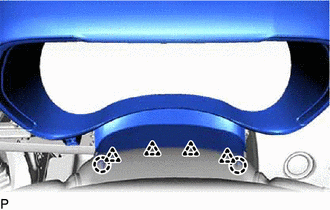
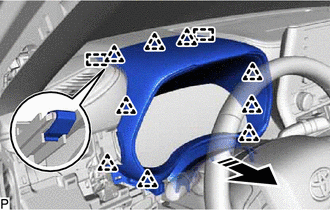
- REMOVE INSTRUMENT CLUSTER FINISH PANEL ASSEMBLY
- REMOVE COMBINATION METER ASSEMBLY
Refer to PROCEDURE - Step 7
- REMOVE HORN BUTTON ASSEMBLY
Refer to REMOVAL [12/2019 - 10/2022]
- REMOVE STEERING WHEEL ASSEMBLY
Refer to PROCEDURE - Step 3
- REMOVE LOWER STEERING COLUMN COVER
Refer to PROCEDURE - Step 5 [12/2019 - 10/2021] , or refer to PROCEDURE - Step 5 [10/2021 - 10/2022]
- REMOVE UPPER STEERING COLUMN COVER
Refer to PROCEDURE - Step 6 [12/2019 - 10/2021] , or refer to PROCEDURE - Step 6 [10/2021 - 10/2022]
- REMOVE TURN SIGNAL SWITCH
Refer to PROCEDURE - Step 3
- REMOVE WINDSHIELD WIPER SWITCH ASSEMBLY
Refer to PROCEDURE - Step 3
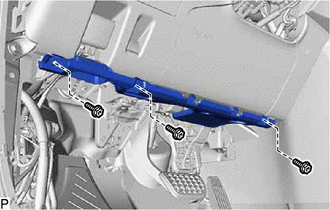
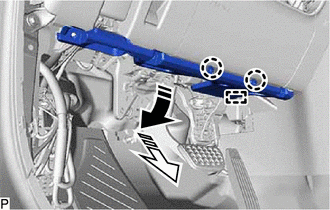
- REMOVE NO. 1 INSTRUMENT PANEL UNDER COVER SUB-ASSEMBLY
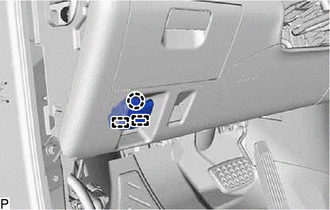
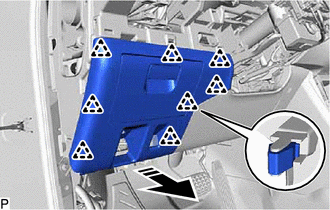
- Remove the 3 screws <D>.
- Pull the No. 1 instrument panel under cover sub-assembly in the direction indicated by the arrow (1) shown in the illustration to disengage the 2 claws.

Remove in this Direction (1) 
Remove in this Direction (2) - Pull the No. 1 instrument panel under cover sub-assembly in the direction indicated by the arrow (2) shown in the illustration to disengage the guide.
- Disengage the 2 claws to disconnect the DLC3.
*a DLC3 - Remove the No. 1 instrument panel under cover sub-assembly.
- Remove the 3 screws <D>.
- DISCONNECT HOOD LOCK CONTROL LEVER SUB-ASSEMBLY
- REMOVE LOWER INSTRUMENT PANEL FINISH PANEL SUB-ASSEMBLY
- REMOVE NO. 1 SWITCH HOLE BASE
- REMOVE LOWER NO. 1 INSTRUMENT PANEL AIRBAG ASSEMBLY
Refer to PROCEDURE - Step 10
- REMOVE CENTER INSTRUMENT CLUSTER FINISH PANEL SUB-ASSEMBLY
- REMOVE RADIO AND DISPLAY ASSEMBLY WITH AIR CONDITIONING CONTROL (for 8 Inch Display)
Refer to PROCEDURE - Step 4
- REMOVE MULTI-DISPLAY WITH AIR CONDITIONING CONTROL (for 12.3 Inch Display)
Refer to PROCEDURE - Step 2
- REMOVE CENTER INSTRUMENT CLUSTER FINISH PANEL ASSEMBLY
- REMOVE RADIO RECEIVER ASSEMBLY WITH BRACKET (for 12.3 Inch Display)
Refer to PROCEDURE - Step 12
- REMOVE FRONT DOOR SCUFF PLATE RH
HINT:
Use the same procedure as for the LH side.
- REMOVE COWL SIDE TRIM SUB-ASSEMBLY RH
HINT:
Use the same procedure as for the LH side.
- DISCONNECT FRONT DOOR OPENING TRIM WEATHERSTRIP RH
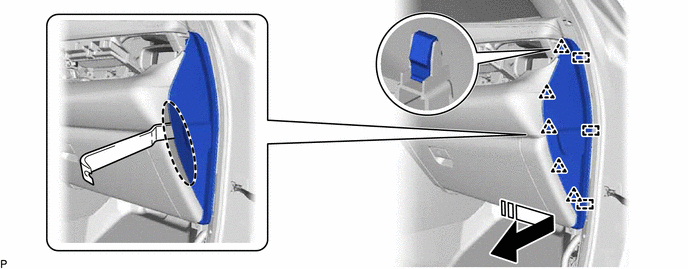
- REMOVE INSTRUMENT PANEL FINISH END PANEL RH
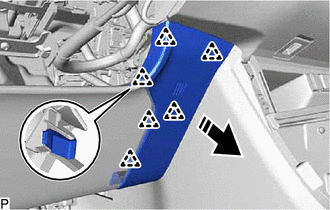
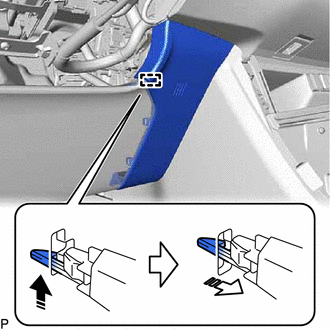
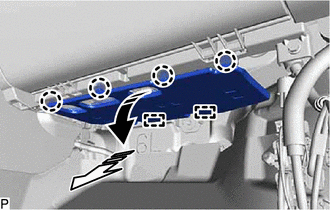
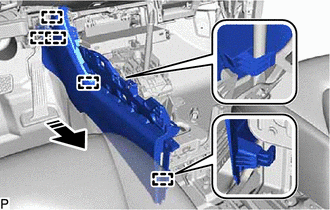
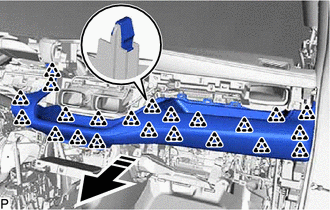
- REMOVE NO. 2 INSTRUMENT PANEL UNDER COVER SUB-ASSEMBLY
- Pull the No. 2 instrument panel under cover sub-assembly in the direction indicated by the arrow (1) shown in the illustration to disengage the 4 claws.
Remove in this Direction (1) Remove in this Direction (2) - Pull the No. 2 instrument panel under cover sub-assembly in the direction indicated by the arrow (2) shown in the illustration to disengage the 2 guides to remove it.
- Pull the No. 2 instrument panel under cover sub-assembly in the direction indicated by the arrow (1) shown in the illustration to disengage the 4 claws.
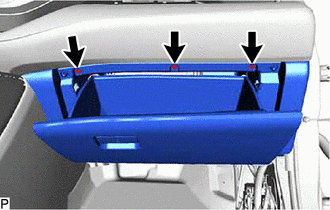
- REMOVE LOWER INSTRUMENT PANEL SUB-ASSEMBLY
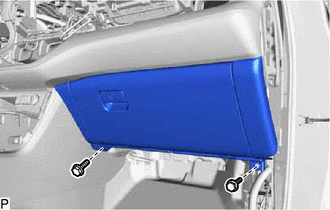
- Open the glove compartment door sub-assembly.
- Remove the 3 screws <D>.
- Close the glove compartment door sub-assembly.
- Remove the 2 bolts <A>.
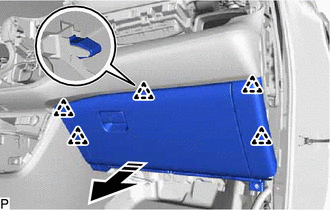
- Disengage the 5 clips as shown in the illustration.
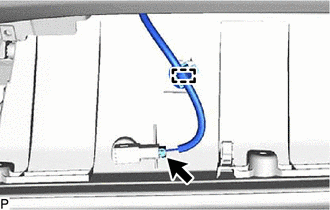
Remove in this Direction - Disconnect the connector.
- Disengage the clamp to remove the lower instrument panel sub-assembly.
- REMOVE FRONT PILLAR GARNISH ASSEMBLY LH
Refer to PROCEDURE - Step 12
- REMOVE NO. 1 INSTRUMENT PANEL SPEAKER PANEL
- REMOVE FRONT NO. 2 SPEAKER ASSEMBLY (for LH Side)
Refer to PROCEDURE - Step 2
- REMOVE FRONT PILLAR GARNISH ASSEMBLY RH
HINT:
Use the same procedure as for the LH side.
- REMOVE NO. 2 INSTRUMENT PANEL SPEAKER PANEL
- REMOVE FRONT NO. 2 SPEAKER ASSEMBLY (for RH Side)
HINT:
Use the same procedure as for the LH side.
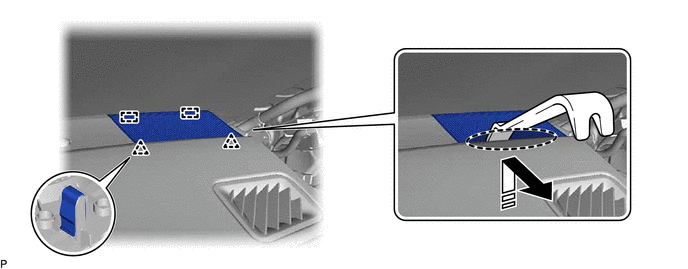
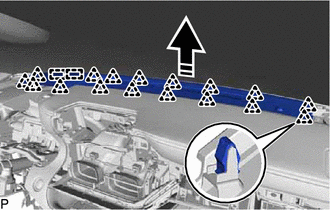
- REMOVE NO. 1 DEFROSTER NOZZLE GARNISH
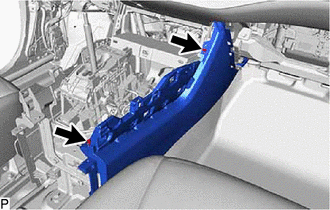
- REMOVE LOWER CENTER INSTRUMENT PANEL FINISH PANEL
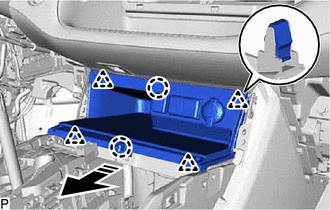
- REMOVE FRONT NO. 2 CONSOLE BOX INSERT
- REMOVE FRONT CONSOLE BOX INSERT
- REMOVE INSTRUMENT CLUSTER FINISH PANEL ORNAMENT
- REMOVE DCM (TELEMATICS TRANSCEIVER) WITH BRACKET (w/ Manual (SOS) Switch)
Refer to PROCEDURE - Step 15
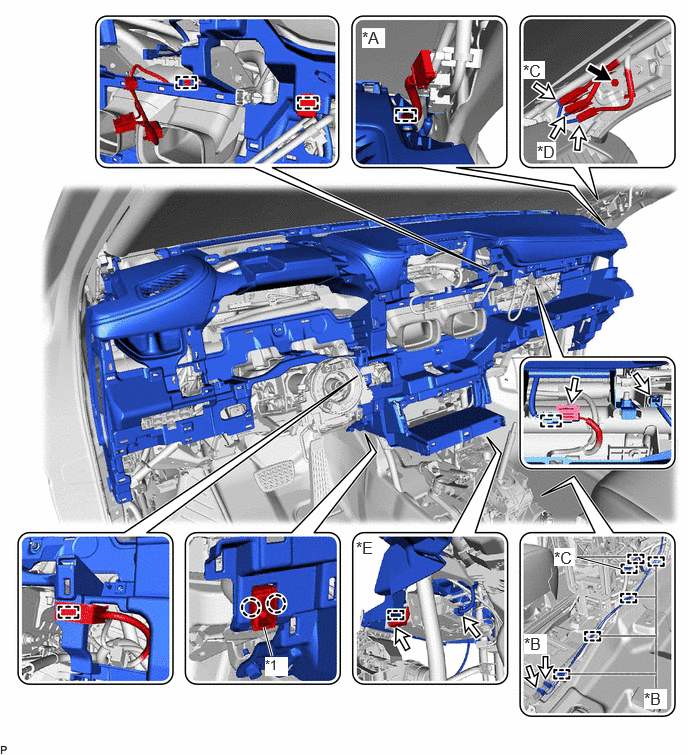
- REMOVE INSTRUMENT PANEL SAFETY PAD SUB-ASSEMBLY
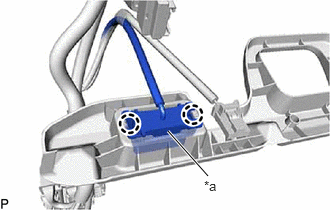
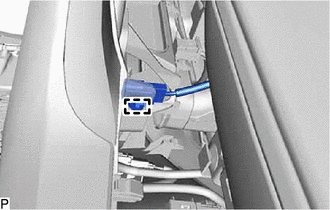
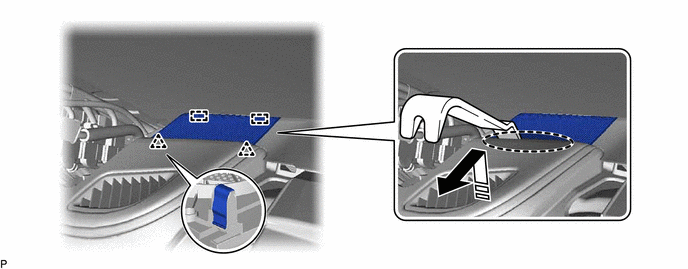
- Disengage the 2 claws to disconnect the cooler (room temp. sensor) thermistor.
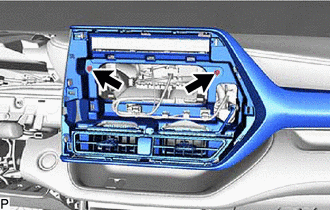
*A for 11 Speakers *B for 12.3 Inch Display *C w/ Rear Seat Entertainment System *D w/ Manual (SOS) Switch *E w/ Navigation System - - *1 Cooler (Room Temp. Sensor) Thermistor - - - Remove the bolt <F>.
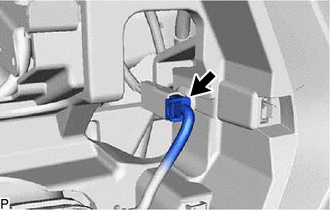
- Disconnect each connector.
- Disconnect the airbag connector.
HINT:
Refer to How to Connect or Disconnect Airbag Connector.
Refer to HOW TO CONNECT OR DISCONNECT AIRBAG CONNECTOR [12/2019 - 11/2023]
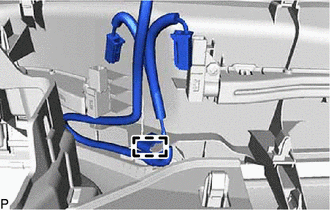
- Disengage each clamp.
- Remove the 2 clips.
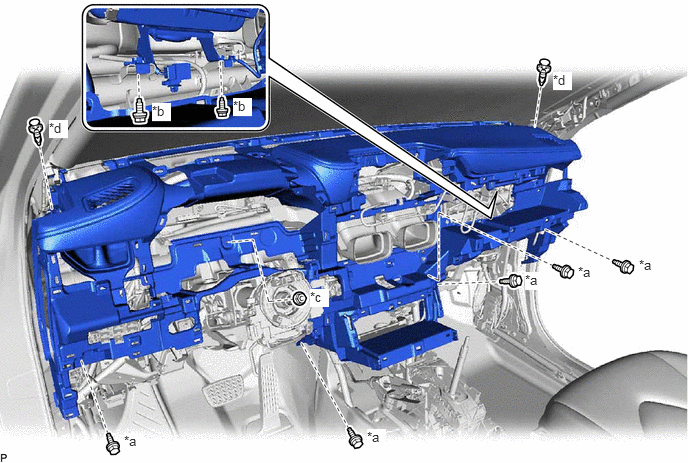
*a Bolt <A> *b Bolt <E> *c Nut <C> *d Clip - Remove the 5 bolts <A>, 2 bolts <E> and nut <C>.
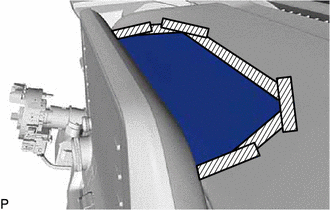
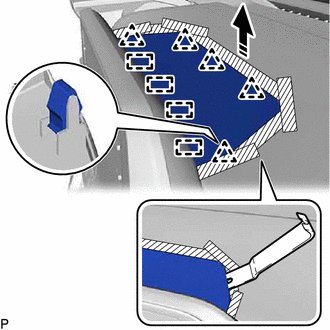
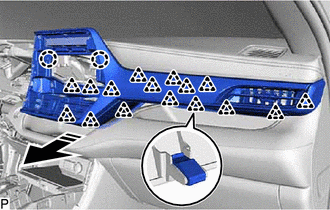
- Disengage the 5 guides as shown in the illustration to remove the instrument panel safety pad sub-assembly.
Remove in this Direction - - NOTE:- Do not damage the instrument panel safety pad sub-assembly.
- Do not allow the wire harnesses to interfere with the surrounding parts.
- Disengage the 2 claws to disconnect the cooler (room temp. sensor) thermistor.